
Table of Contents
Toggle🌍 Why Your Starlink Account is Suspended

Seeing a “Starlink account suspended” message can be frustrating, especially when you rely on internet for work, school, business, or streaming.
A suspended Starlink account usually means there is an issue related to:
- Payment
- Service policy
- Account verification
- Hardware assignment
- Billing problems
The good news is that most Starlink suspension issues can be fixed quickly.

⚠️ Common Reasons for Starlink Account Suspension
💳 1. Failed Payment or Unpaid Subscription
This is the most common reason.
Your account may be suspended if:
- Monthly subscription payment failed
- Card declined
- Insufficient balance
- Expired payment method
✅ Solution:
- Log into your Starlink account
- Update payment details
- Clear outstanding balance
🔐 2. Account Verification Problems
Starlink may temporarily suspend accounts if:
- Billing information is incorrect
- Account ownership cannot be verified
- Suspicious login activity is detected
✅ Solution:
- Verify your email
- Confirm billing address
- Use official Starlink support channels
📡 3. Hardware Already Assigned to Another Account
If you purchased a used Starlink kit, the device may still be linked to another account.
⚠️ Signs:
- Activation failure
- “Device already assigned” error
- Service not activating
✅ Solution:
- Ask previous owner to release the hardware
- Transfer ownership properly through Starlink account dashboard
🌐 4. Violation of Starlink Terms of Service
Accounts can also be suspended for:
- Unauthorized reselling
- Suspicious activity
- Policy violations
✅ Solution:
Contact official support and request clarification.
🚀 How to Reactivate a Suspended Starlink Account
Step 1: Log Into Your Account
Go to the official Starlink portal:
👉 https://www.starlink.com/account
Step 2: Check Notifications
Look for:
- Billing alerts
- Suspension notices
- Verification requests
Step 3: Resolve Payment Issues
Update:
- Credit/debit card
- Billing information
- Subscription payment
Step 4: Restart Equipment
After resolving issues:
- Restart router
- Restart Starlink dish
- Wait several minutes for reconnection
Step 5: Contact Starlink Support
If the issue remains:
- Open support ticket
- Explain suspension issue clearly
- Attach screenshots if necessary
📡 Starlink Support Tips
When contacting support:
- Use the registered account email
- Include device serial number
- Explain issue clearly and briefly
⚡ How Long Does Reactivation Take?
Typical timelines:
| Issue | Reactivation Time |
|---|---|
| Payment issue | Minutes to hours |
| Verification issue | Hours to days |
| Hardware transfer | 1–3 days |
| Policy review | Depends on case |
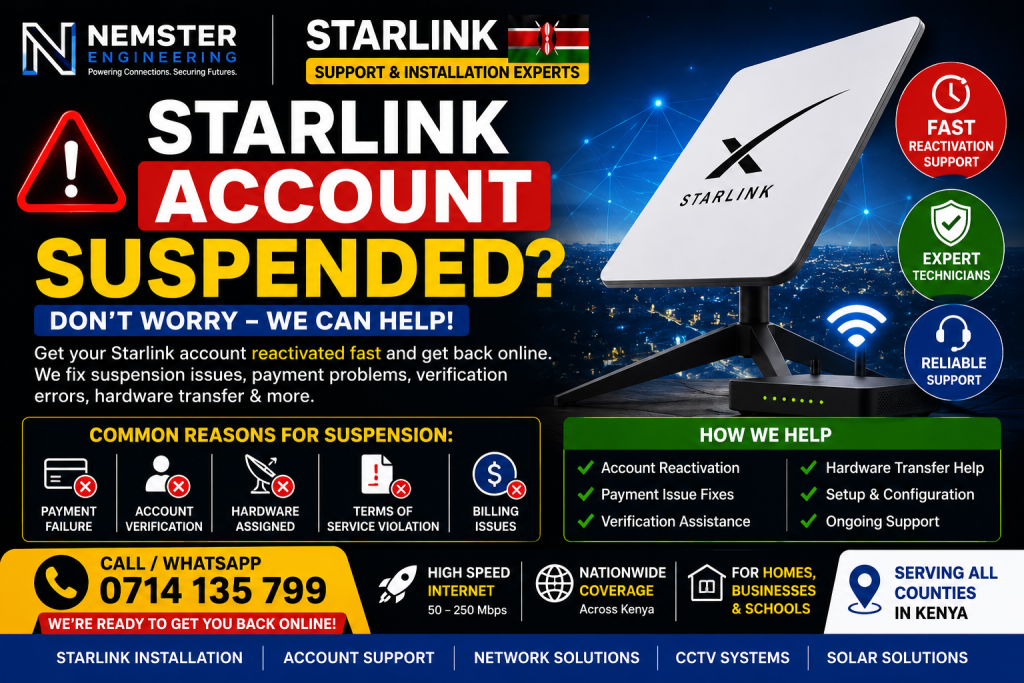
🛠️ Professional Starlink Troubleshooting in Kenya
Sometimes suspension problems are mixed with setup or activation issues.
Professional technicians can help with:
- Account setup
- Hardware activation
- Router configuration
- Signal troubleshooting
🏠 Starlink Services in Kenya
We provide:
- Starlink installation
- Activation support
- WiFi optimization
- Network troubleshooting
Available for:
- Homes
- Businesses
- Schools
📞 Need Help Fixing a Suspended Starlink Account?
🚀 Fast Starlink Support in Kenya
📱 Call / WhatsApp: 0714135799
⚡ Fast troubleshooting
🌍 Support across Kenya
🔧 Professional Starlink assistance
🔑 SEO Keywords
Primary Keywords
- Starlink account suspended
- suspended Starlink account
- Starlink account reactivation
Secondary Keywords
- Starlink payment failed
- Starlink activation issue
- Starlink troubleshooting Kenya
Long-Tail Keywords
- how to fix Starlink account suspended
- Starlink suspended due to payment issue
- how to reactivate Starlink account quickly

❓ FAQ Section
❓ Why is my Starlink account suspended?
Most suspensions happen because of failed payments, verification issues, or account policy problems.
❓ Can I reactivate my Starlink account?
Yes. Most accounts can be restored after resolving billing or verification issues.
❓ How do I contact Starlink support?
Log into your Starlink account and open a support ticket through the official dashboard.
❓ Can a used Starlink kit cause suspension issues?
Yes. If the device is still linked to another account, activation may fail until ownership is transferred.
📞 Contact for Starlink Support in Kenya
🚀 Fast Help Available
📱 Call / WhatsApp: 0714135799
⚡ Quick troubleshooting
🌍 Support across Kenya
🔧 Professional Starlink technicians
🏁 Conclusion
A Starlink account suspended issue can usually be resolved quickly by:
- Updating payment information
- Verifying account details
- Contacting support
- Properly transferring hardware ownership
Once fixed, your Starlink service should reconnect and operate normally again.